 Anir Suren
This one looks like a magic trick the first time you see it. You hand Claude a photo of a room, and a few seconds later you have the same room in completely different styles. Same windows, same layout, same proportions, new everything else. No designer, no 3D software, no leaving the app.
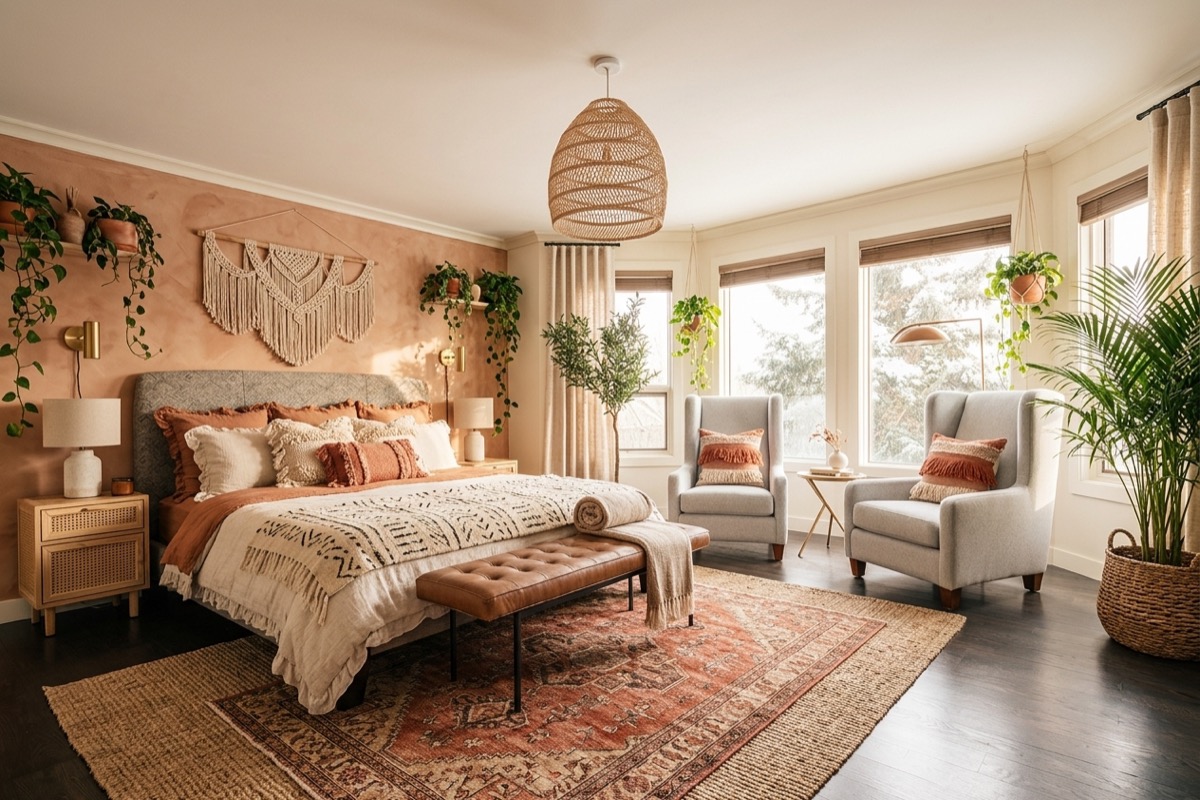
Here is the room I tested it on, then one of the versions it handed back.
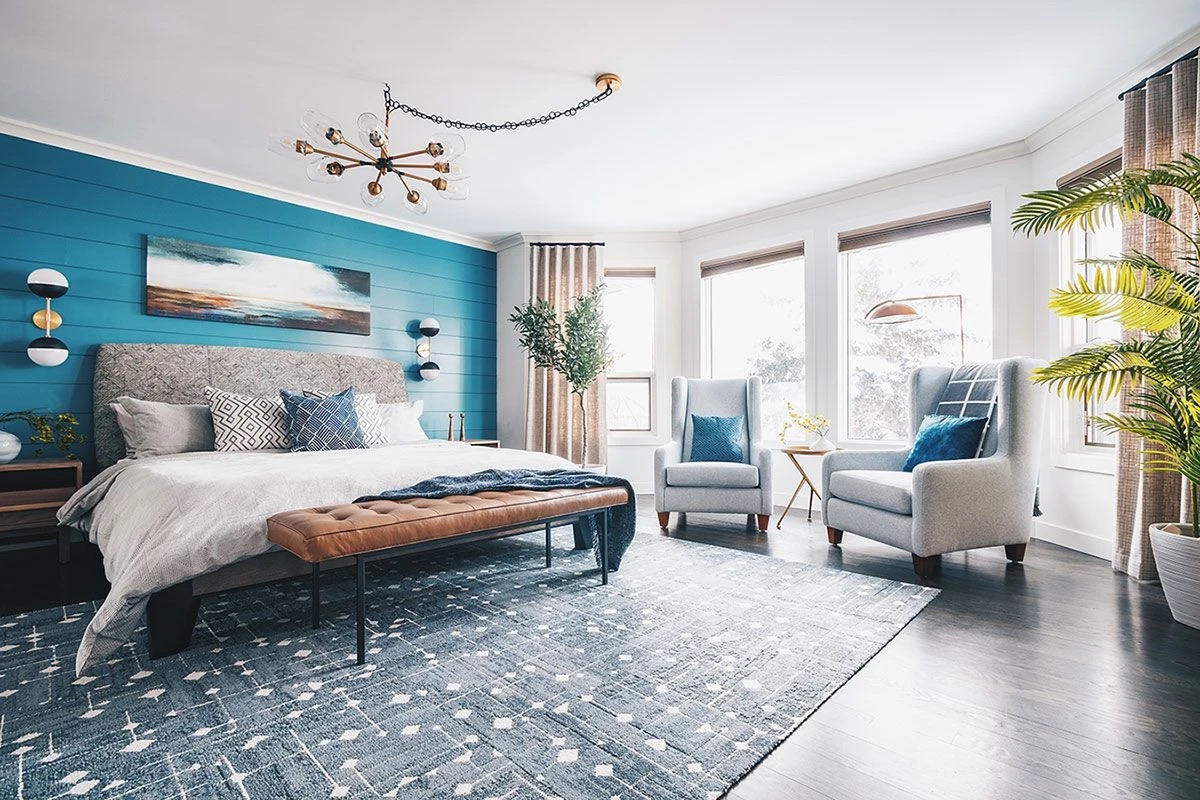
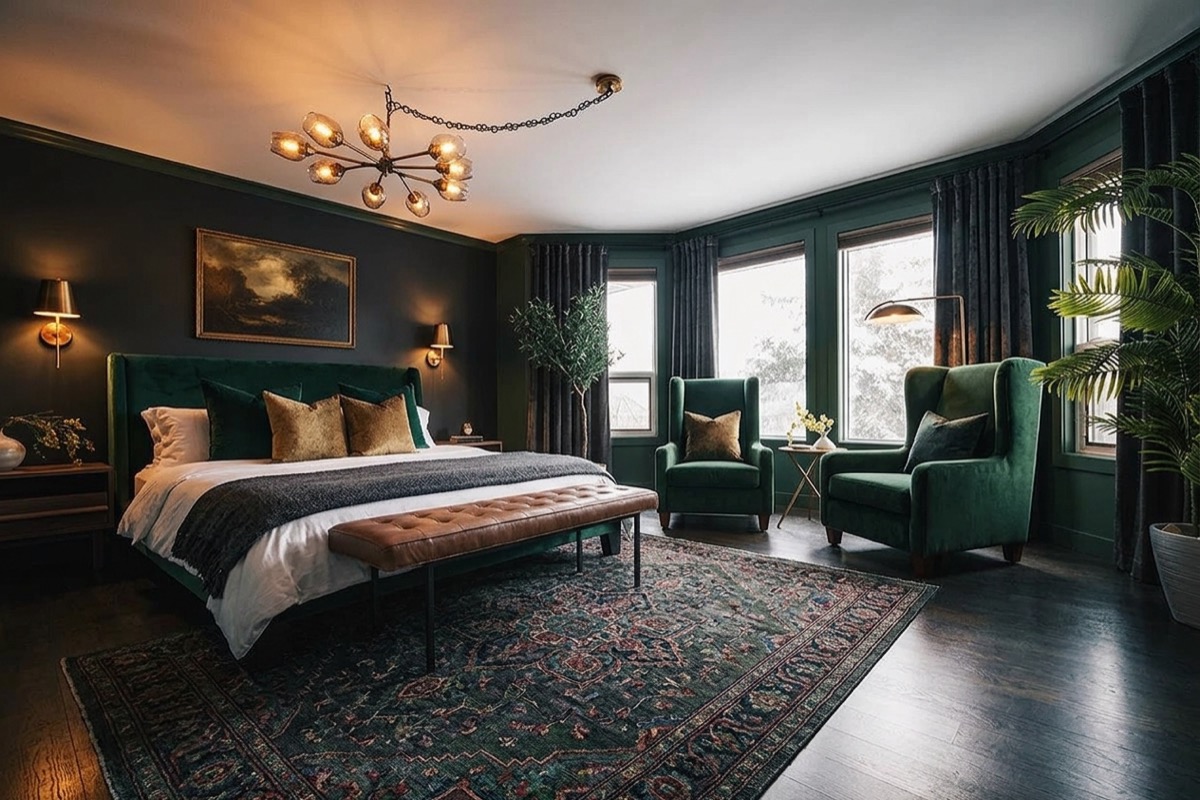
That is not a stock photo or a different room. It kept the bay window, the layout, and the proportions, and restyled the rest. Below is the full setup, the exact prompt, every variant it generated, and how to get good results instead of weird ones.
What you are actually setting up
The tool is a free, open-source Claude skill people call the banana skill. It plugs Google's Nano Banana image models (the Gemini image models) into Claude, so Claude can generate and edit real images right inside your normal chat. You install it once, paste in a free Google key, and from then on you just talk to Claude like always and it makes the pictures.
Two things you need, both free to start: the skill itself, and a Google AI Studio key so it has something to generate with.
The setup, step by step
This genuinely takes about a minute.
1. Grab the banana skill
Search banana skill Claude and open the first result. It is the open-source skill, a creative director for Claude powered by Gemini's Nano Banana. Copy its install URL, the link to the project. Here is the one I used, but the top search result is fine.
2. Open Claude and install it
Open the Claude desktop app and click Code in the top left. Paste in the URL you just copied and tell Claude, in plain English, to install it. Claude pulls it down and sets it up for you. You never touch a terminal.
3. Get a free Gemini API key
Search Google AI Studio and open it (aistudio.google.com). Click Get API key, then Create API key, and copy it. It is free to create and comes with a free tier, so you can play around before it costs you anything real.
4. Hand the key to Claude
Back in Claude, paste the key and tell it to use it for the banana skill. That is the part that connects everything. One and done.
5. Drop in your room and ask
Give Claude a photo of the room you want to redesign and ask for a set of redesigns. That is it. The next section is the exact wording I used, because the wording is what keeps your actual room instead of inventing a new one.
The exact prompt
Here is a photo of my bedroom. Using the banana skill, generate 5 redesigns of this exact room in 5 different interior styles. Keep the windows, the layout, the proportions, and the camera angle the same. Only change the style: the furniture, colors, materials, lighting, and decor. Save each one as its own file and label it with the style.
The line that matters is "keep the windows, layout, and proportions the same, only change the style." Leave it out and it drifts into a room that is not yours. Put it in and you get your room, reimagined.
Every version it generated
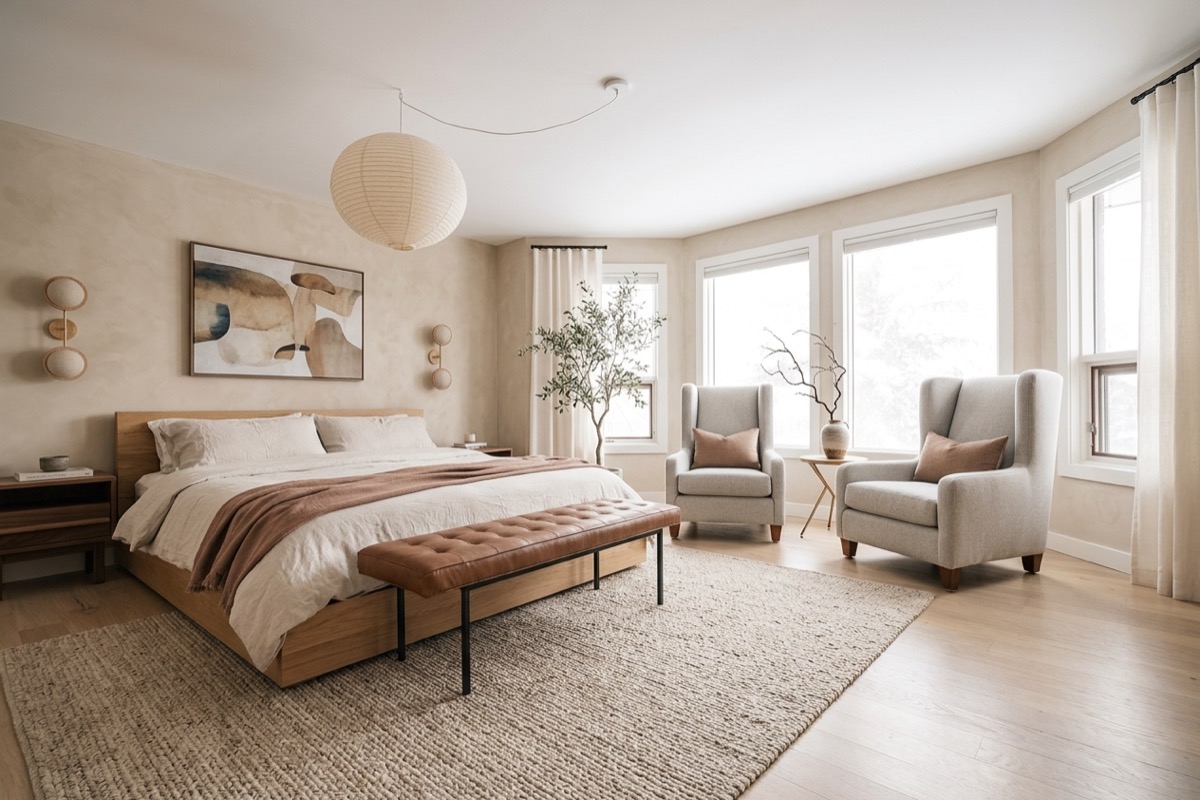
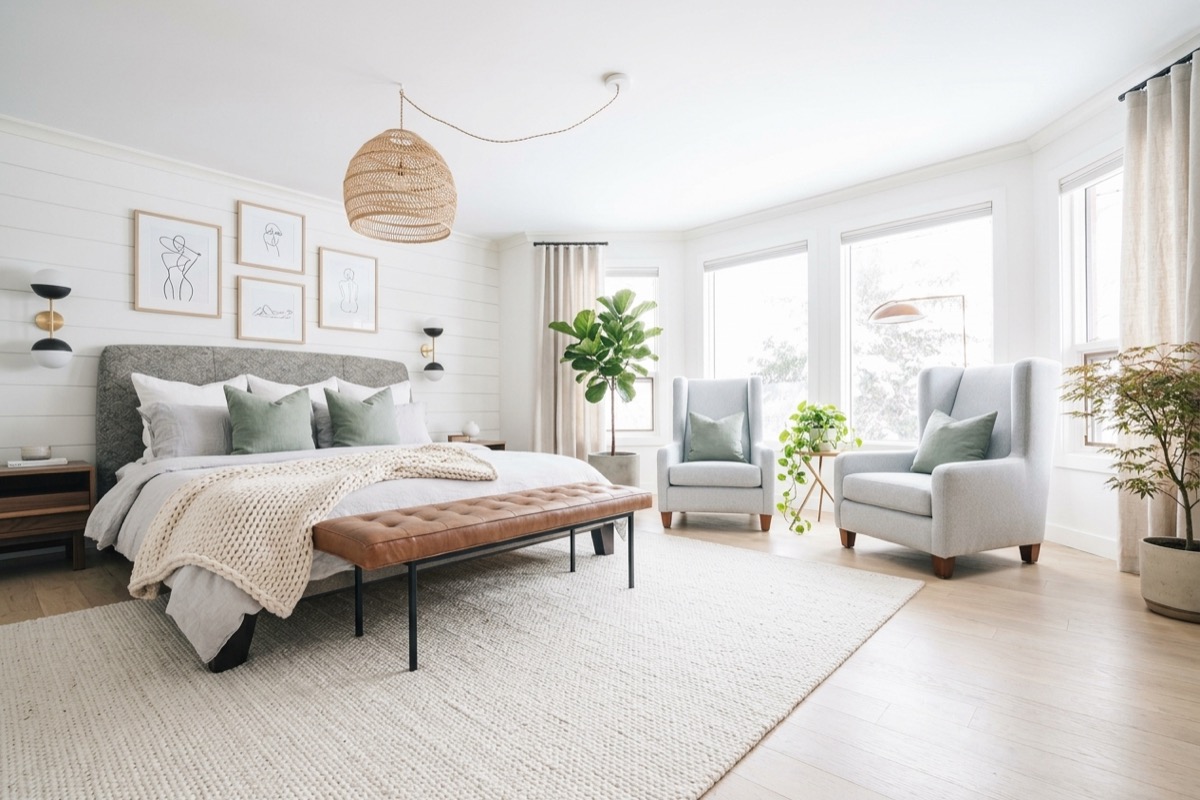
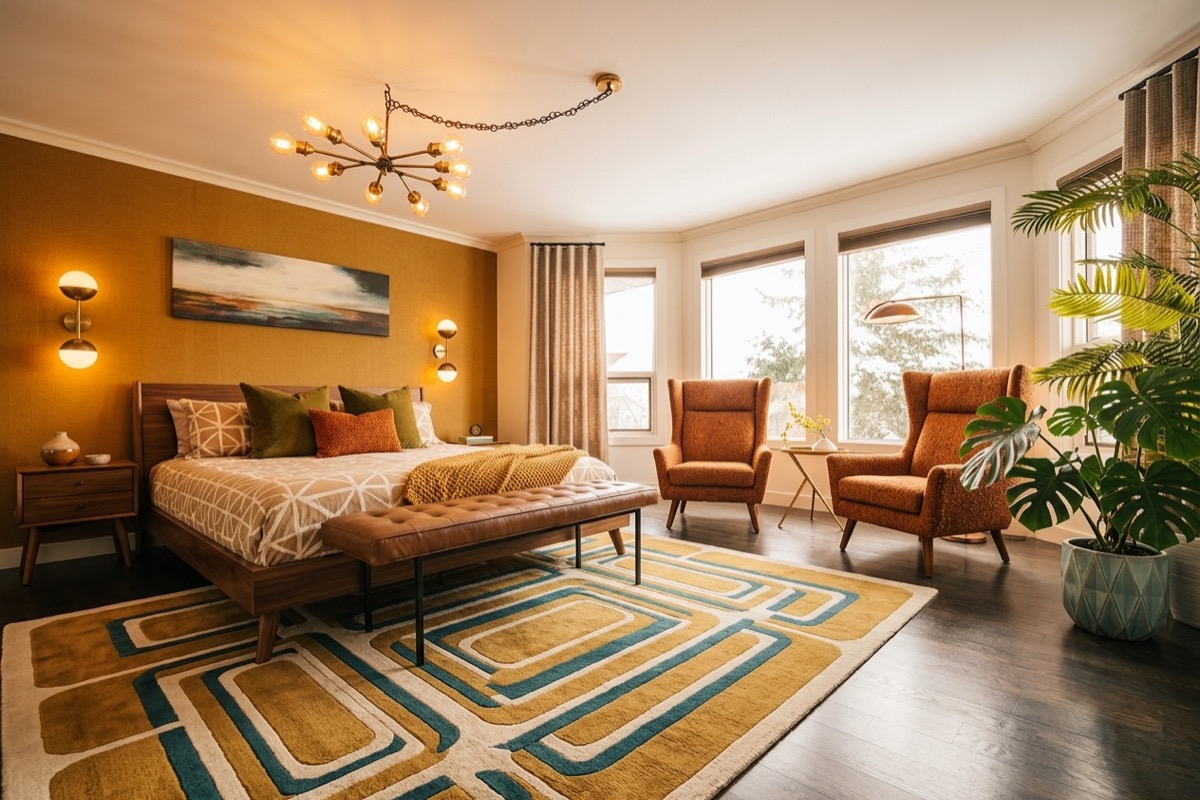
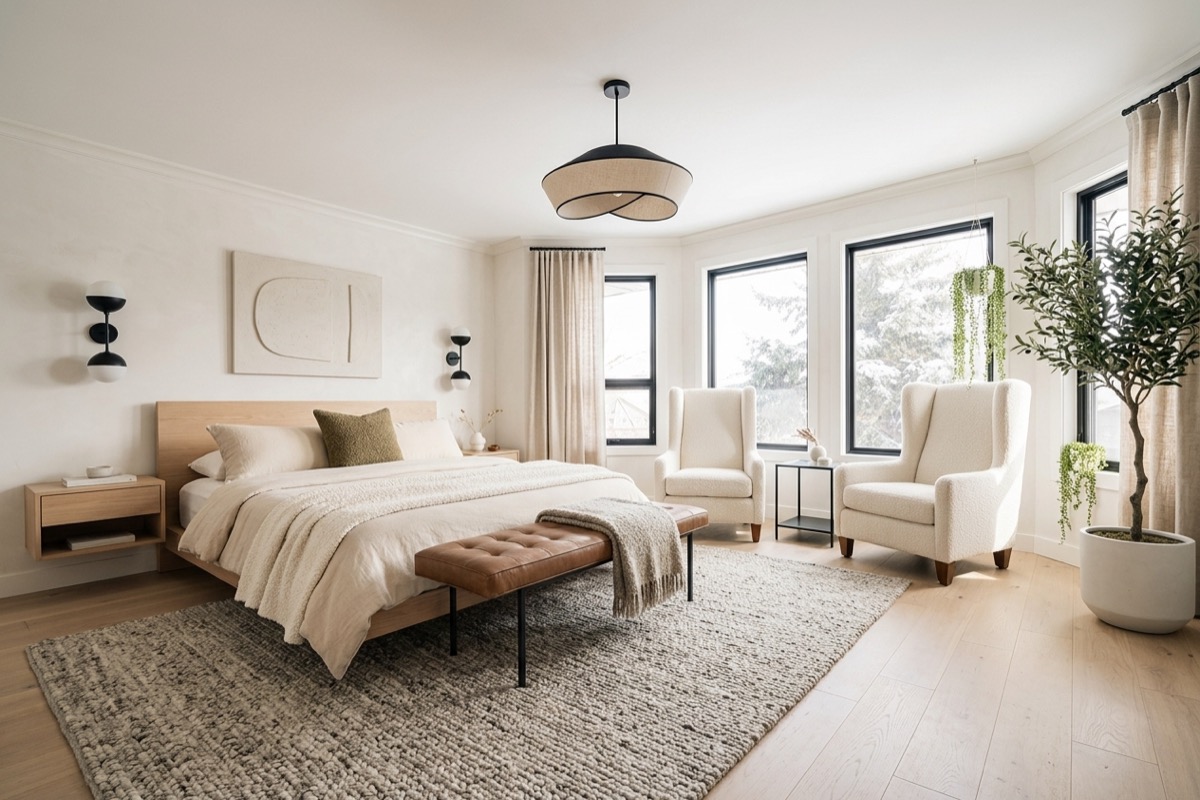
From that one photo, here is what came back. Same room every time, six directions to choose from.
How to get good results, not weird ones
- Name a real style. "Make it nicer" gets you mush. "Warm japandi" or "dark moody luxe" or "mid-century modern" gives it a target.
- Lock the architecture. Always tell it to keep the windows, layout, and angle. That one sentence is the difference between a redesign and a hallucination.
- Change one thing at a time. Once you like a direction, iterate: "same room, but swap the bed for a low wood frame and make the walls sage." It edits instead of starting over.
- Ask for things you would actually buy. "Boucle armchair, brass floor lamp, oak nightstands." It is more useful as a shopping moodboard than a vibe.
- Use a clear, straight-on photo. Good light and a wide angle give it more to work with. A dark, cluttered phone pic gives you a dark, cluttered redesign.
The honest part
This is a mood and direction tool, not a contractor. It will not give you real measurements, it will not know what fits your actual floor plan, and it will happily invent furniture that does not exist. Use it to pick a direction fast, fall in love with a look, then go find the real pieces that match. For choosing paint, testing a vibe before you commit, or settling a "what if we went darker" argument, it is the fastest thing I have used.
It will not replace a designer for a full renovation. But for figuring out what you actually want before you spend a dollar, it is hard to beat.
Take one photo of the room that has been bugging you and run it. Worst case you lose two minutes. Best case you finally know what to do with it.
– Anir
If this is the kind of AI thinking you want working on your own business, apply to work with me. And to catch the next breakdown, join the newsletter.