 Anir Suren
UGC is the part of running ads that quietly eats your budget. You pay creators, you ship them product, you wait, and half of it does not convert anyway. This skips all of that. You give Claude one photo of your product and it generates a batch of creator-style videos for it, different faces, different rooms, different scripts, without you leaving the app.
Here are three frames straight out of the videos it made from a single product photo. Same jar, different creators and settings.
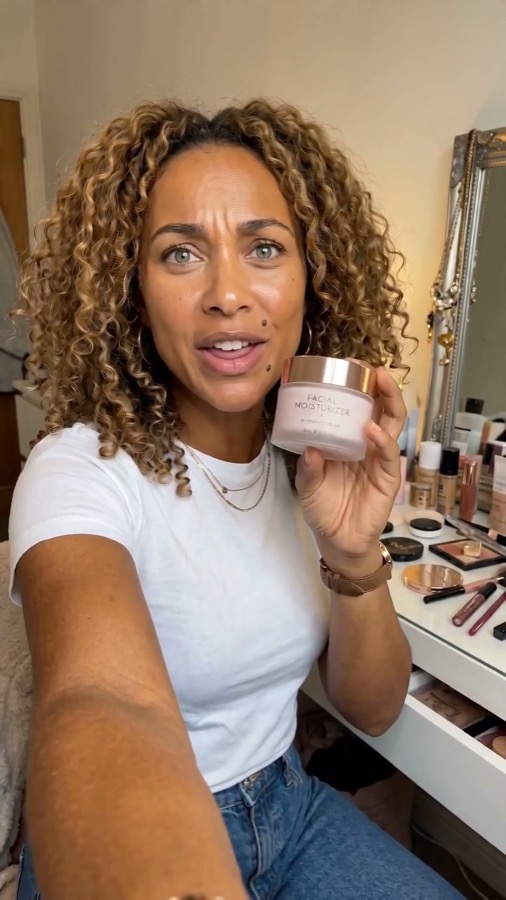
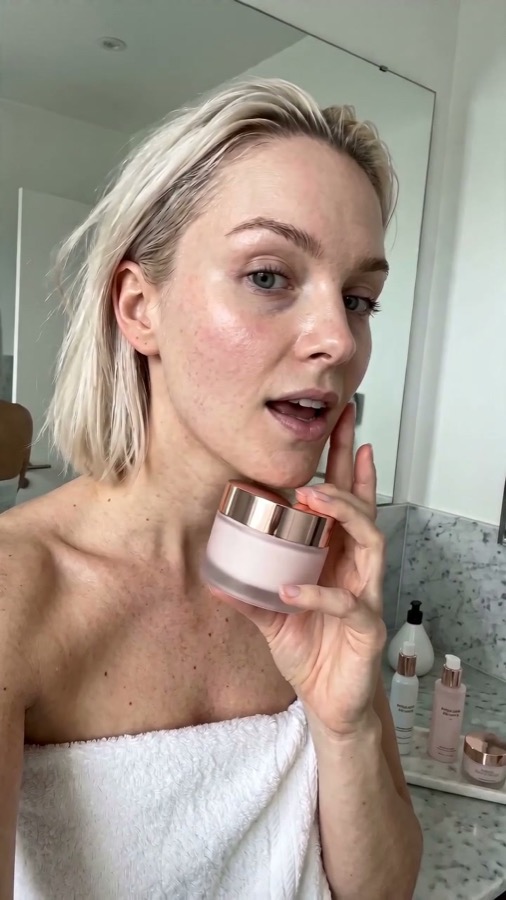
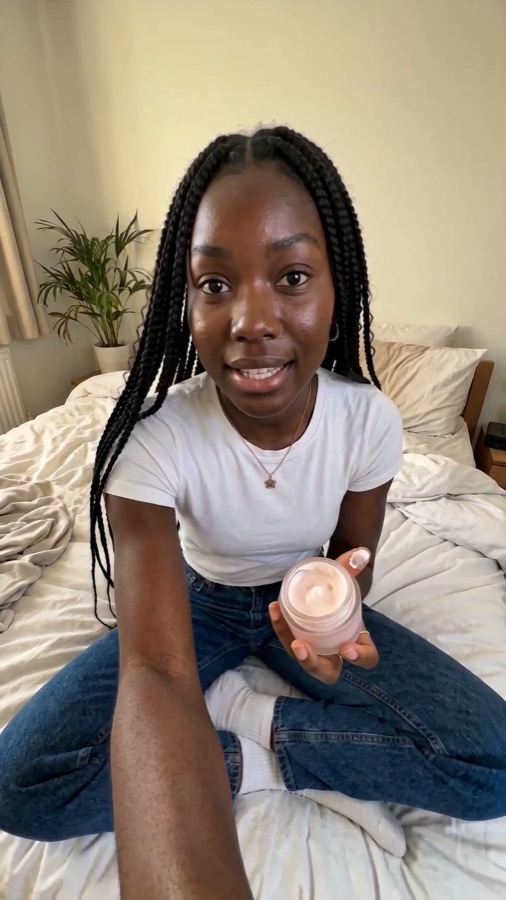
That is not a real shoot. One image in, a stack of vertical UGC ads out. Below is the full setup, the exact prompt I used, and how to get the most out of it.
What this actually is
It is an open-source Claude skill called Arcads Claude Code. It wires the Arcads video engine into Claude, so Claude can analyze your product and generate UGC videos, product reveals, and static ads right inside your chat. Under the hood it uses the current video models (Seedance, Sora, Veo, and Nano Banana) and picks per shot. The project is on GitHub.
You need two free things: the skill, and an Arcads account so it has an engine to render with.
The setup, step by step
1. Grab the skill
Search Arcads Claude Code and open the first result, the GitHub repo. Copy the repo URL.
2. Install it in Claude
Open the Claude desktop app, click Code in the top left, paste the URL, and tell Claude to install it. Claude pulls the repo down and runs the setup for you. No terminal needed on your end.
3. Connect your Arcads key
This is the step the short version skips, and nothing renders without it. Make a free account at arcads.ai, then grab your API key from your account settings (app.arcads.ai, under API). When the setup asks for the key, paste it in. One time, done.
4. Upload your product and run the prompt
Give Claude a clean photo of your product and paste the prompt below. That is the whole thing.
The exact prompt
This is the one that turns a single photo into a real batch of ads instead of one generic clip. Copy it as is, then swap in your product details.
Here is a photo of my product. Using the Arcads skill, do this:
1. Analyze the product first: what it is, who it is for, the single biggest benefit, and the main objection a buyer has.
2. Generate 20 UGC ad variations. Each one is a 12 to 20 second vertical video that looks like a real iPhone selfie clip: natural light, casual delivery, no studio polish.
3. Vary all 20 across creator (age, gender, look, energy), setting (bathroom, bedroom, kitchen, car, vanity), the hook in the first 3 seconds, and the angle (honest review, problem then solution, "I stopped buying X", before and after, POV, three reasons).
4. In every video, the creator holds and clearly shows the actual product from my photo, label facing the camera.
5. Write the full spoken script for each. Keep it specific and conversational, never like an ad read.
6. Render all 20 and save them labeled by creator and angle. Then tell me the 3 you would run first and why.
How to make them even better
A few things that level the whole batch up:
- Feed it a clean product photo. Sharp, well lit, label facing forward. The better the input, the better every video looks.
- Be specific about the angle. "Honest review from someone skeptical" beats "make an ad." The script is only as good as the brief.
- Mix the hooks. Tell it to open each one differently. Different first lines are what make twenty videos feel like twenty ads instead of one on repeat.
- Disclose it. If you run these as ads, follow the platform rules on AI-generated content and label them. It keeps your account safe.
Treat it like a creative engine you control. The cost per video is basically zero, so you spin up twenty fresh ads from one product photo and never book a creator for a test again.
Take one product photo, run the prompt once, and watch what comes back. Even if only three are usable, that is three more ads than you had this morning.
– Anir
If this is the kind of AI thinking you want working on your own business, apply to work with me. And to catch the next breakdown, join the newsletter.