 Anir Suren
A skill is a folder with a file called SKILL.md inside it. That file teaches Claude one specific job: how to run a board meeting, how to write a cold email, how to audit a codebase. You install it once, and from then on Claude pulls it in whenever the job comes up. No re-explaining, no pasting the same 400-word prompt every morning. If you want the longer version of how skills work, I wrote it up here.
These are the five I'd install first if you run a business. All five are free and open source. Two are built for anyone with a business idea, one is a full marketing department, and two are for people building software with AI. For each one you get what it does, who it's for, the exact install steps, and one prompt to run first.
One thing to know before you start. Skills run in two places. Claude Code is the terminal app that can see your files and run commands, and that's where all five work best. The Claude app (web or desktop) can take uploaded skills too, but it can't see a codebase, so the two coding skills in this list only make sense in Claude Code. I've marked that clearly under each one.
1. The Founder skill: a board of advisors and 100 customers before you spend a dollar
Founder is a pack of eleven skills by Jake Schincariol that test a business before you launch it. The repo is Jakeschincariol/founder-skill, MIT licensed, no sign-up, no API key.
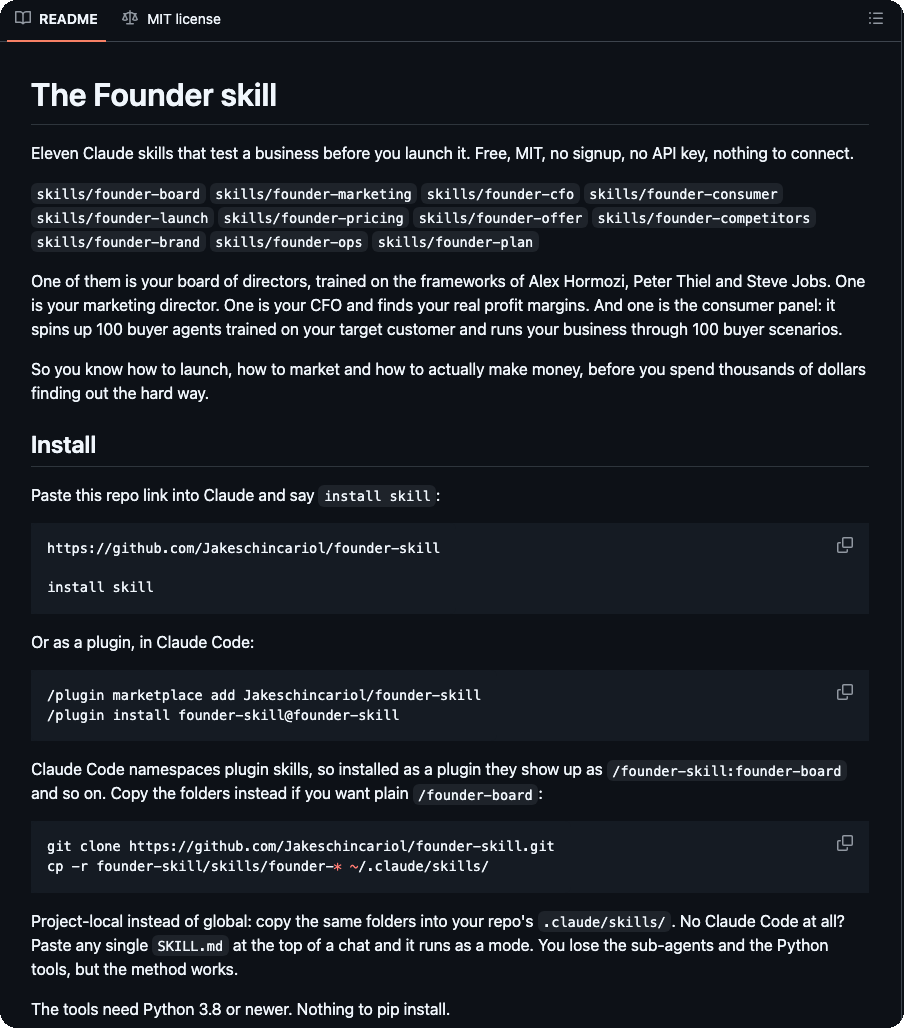
The Founder skill. Eleven skills, three install routes, nothing to pay for.
What it does
The two pieces from the video are /founder-board and /founder-consumer.
- The board is three sub-agents. Each one applies a single published framework: Offers (from Alex Hormozi's $100M Offers), Monopoly (from Peter Thiel's Zero to One), and Product (from Walter Isaacson's Steve Jobs biography). Each one scores your idea, names the thing most likely to kill it, and votes: fund, fund with conditions, or pass. The conditions turn into a checklist the later skills have to clear. The repo is upfront that these are summaries of the frameworks, not the people themselves.
- The consumer panel builds a profile of your target customer, deals out 100 buyer cards with different incomes, habits and objections, and runs one sub-agent per buyer. You get back who buys, who passes, their reasons in their own words, and what would flip a no to a yes. The README says this plainly: they're simulated buyers, so treat the buy rate as a ceiling and confirm big decisions with real people.
The other nine cover competitors, pricing, the offer, a CFO that runs unit economics and break-even, marketing, brand, ops, a launch plan, and a final skill that compiles everything into founder/business-plan.md with a verdict computed from the numbers: Profitable, Not yet, or Incomplete. Run them in order and each one reads what the last one wrote.
Who it's for
Anyone with an idea and a credit card they haven't swiped yet. A new product line, a second location, a service you're thinking of adding. It's the cheapest sanity check you'll ever run.
Install
In Claude Code, the plugin route is two commands. Skills installed this way are namespaced, so they show up as /founder-skill:founder-board.
/plugin marketplace add Jakeschincariol/founder-skill
/plugin install founder-skill@founder-skill
If you'd rather have the plain /founder-board names, copy the folders into your global skills folder instead. The tools need Python 3.8 or newer and nothing to pip install.
git clone https://github.com/Jakeschincariol/founder-skill.git
cp -r founder-skill/skills/founder-* ~/.claude/skills/
In the Claude app, the repo's own method is to paste the link and ask for it. If that doesn't take on your plan, the fallback the README gives is to paste a single SKILL.md at the top of a chat, which runs it as a mode (you lose the sub-agents, but the method still works).
https://github.com/Jakeschincariol/founder-skill

install skill
Try this first
/founder-board

The idea: a mobile dog grooming van in Austin. $85 per groom, medium and large dogs only, booked online, serving busy professionals in the 78704 and 78745 zip codes. I have $25,000 to start and I'd be the only groomer for the first six months.

Score it, tell me what kills it, and vote.
Then run /founder-consumer with the same idea and read the reasons the "no" buyers give. That list is usually worth more than the yes count.
2. Corey Haines's marketing skills: 53 marketers in one folder
Corey Haines runs Conversion Factory, a conversion and growth agency, and he put his playbook into coreyhaines31/marketingskills. The table in the README lists 53 skills. It's free and MIT licensed, and it's big: over 60,000 people have starred it, and it works in Claude Code, Codex, Cursor and anything else that supports skills.
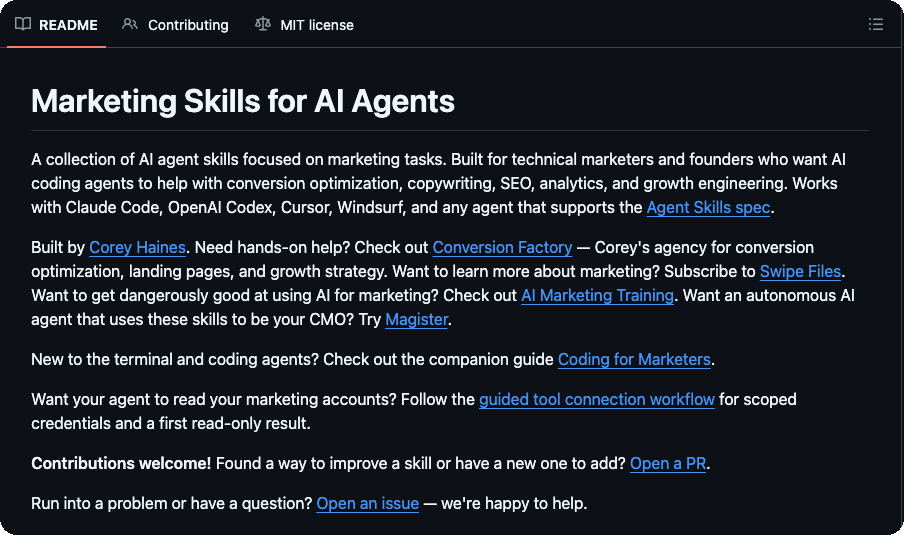
Marketing Skills for AI Agents. CRO, copywriting, SEO, analytics and growth, all in markdown.
What it does
Every skill is a markdown file that tells Claude how a real marketer would approach one task. The full list: ab-testing, ad-creative, ads, ai-seo, analytics, aso, attribution, churn-prevention, co-marketing, cold-email, community-marketing, competitor-profiling, competitors, content-strategy, conversion-tracking, copy-editing, copywriting, cro, customer-research, directory-submissions, emails, events, free-tools, image, influencer-marketing, launch, lead-magnets, link-building, marketing-council, marketing-ideas, marketing-loops, marketing-plan, marketing-psychology, offers, onboarding, paywalls, popups, pricing, product-marketing, programmatic-seo, prospecting, public-relations, referrals, reverse-engineer-marketing, revops, sales-enablement, schema, seo-audit, signup, site-architecture, sms, social, and video.
They talk to each other. product-marketing is the foundation: every other skill reads it first to understand your product, your audience and your positioning before it writes a word. So the second time you ask for an email sequence, it already knows who you are.
You can call one directly (/cro, /emails, /seo-audit) or just describe the task and Claude picks the right one.
Who it's for
Anyone who is their own marketing department. If you've been writing your own landing pages, welcome emails and ad copy from a blank page, this is the one that pays for itself the first afternoon.
Install
npx skills add coreyhaines31/marketingskills
Or as a plugin from inside a Claude Code session:
/plugin marketplace add coreyhaines31/marketingskills
/plugin install marketing-skills
This is the easiest of the five to get into the Claude app, because the repo ships ready-made uploads. On the releases page, every skill has a file named <skill>-claude-web.zip (for example emails-claude-web.zip). Download the ones you want, then upload each one:
1. Settings > Capabilities: make sure "Create and edit files" (code execution) is on.
2. Customize > Skills > the "+" button > "+ Create skill" > "Upload a skill".
3. Pick the <skill>-claude-web.zip you downloaded.
4. Toggle it on. Repeat for each skill you want.
Those are Anthropic's own steps for any custom skill, from their support article. The zips are one skill each, so start with four or five, not all 53.
Try this first
/emails

Write me a five-email welcome sequence for new subscribers to my newsletter about AI tools for small business owners. Audience: people who run a business with under 10 staff and feel behind on AI. Goal of the sequence: get them to book a free 20-minute call. Give me subject lines, send timing, and the full copy for each email.
3. Hallmark: 50 real design themes so your site stops looking like AI
Hallmark is a design skill from Together AI, and it lives at Nutlope/hallmark. The README calls it "a design skill for Claude Code, Codex, Cursor and OpenCode that refuses to look AI-generated," and that's a fair description.
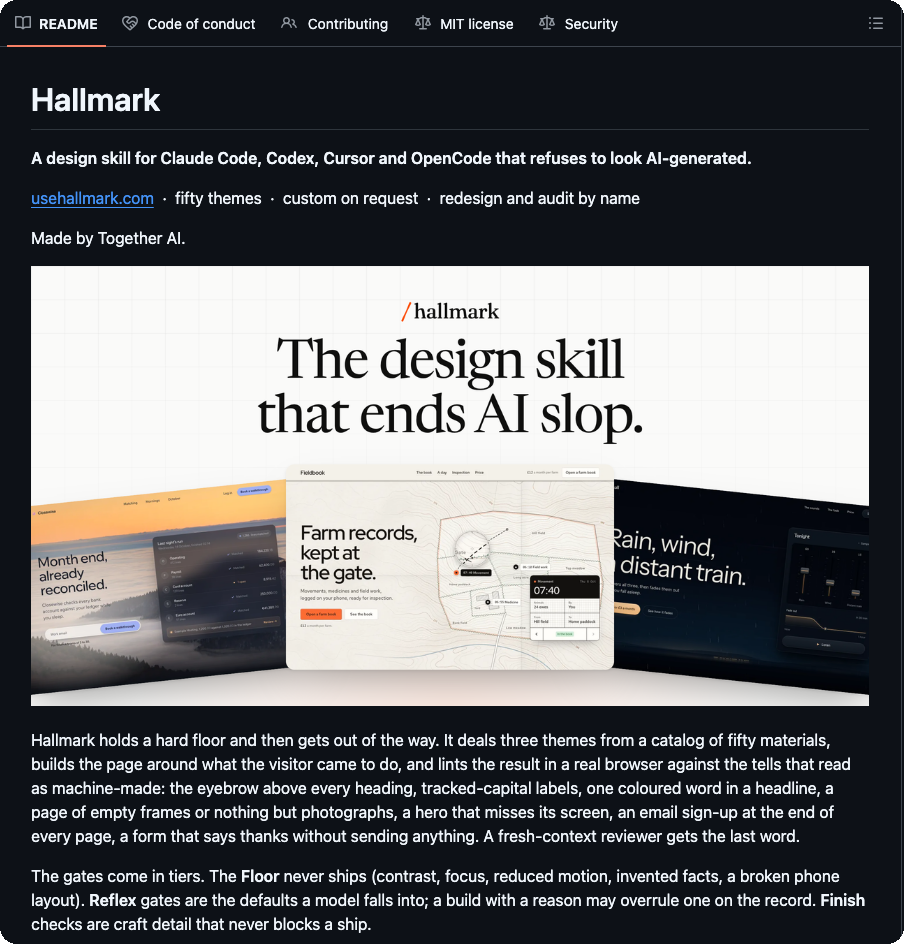
Hallmark. Fifty themes, three dealt per build, and a browser check at eight widths.
What it does
You know the look. A purple gradient, a little label above every heading, one word in the headline coloured differently, a row of empty icon boxes, a newsletter box at the bottom of a page nobody asked for. Hallmark treats all of that as a bug.
- It carries a catalog of fifty themes. Each one is a material: paper, type, colour, surfaces, its own components and texture, with a picture of a finished page. For every build it deals three themes that fit your prompt, and you pick one.
- It builds the page around what the visitor came to do. A booking page books, a shop sells, a newsletter page subscribes, and the action sits where the category puts it.
- It then renders the page in a real browser at eight widths and lints it against a list of AI tells. A fresh-context reviewer gets the last word before anything ships.
- It uses 755 openly licensed photos, credited on the page, instead of inventing empty image frames.
- Three verbs:
/hallmark <prompt>builds,/hallmark audit <path>reports on an existing page without touching it, and/hallmark redesign <path>rebuilds a page while keeping its content and wiring. Say "custom" and it drops the themes and designs from your direction alone.
Who it's for
Anyone who has asked AI to build a website and got the same website everyone else got. It needs Claude Code (or Codex, Cursor or OpenCode) and Node.js 18 or newer, because it has to render and check pages. The README doesn't offer a Claude app upload, and it wouldn't make sense there anyway, so this one is Claude Code only.
Install
npx skills add nutlope/hallmark -g --agent claude-code
Drop the -g to install it into just the current project. Or as a plugin:
/plugin marketplace add nutlope/hallmark
/plugin install hallmark@hallmark
If you want the browser checks to run against Chrome, the README also asks for npm i -g puppeteer-core.
Try this first
If you already have a site, audit it before you build anything. It only reports, so there's no risk.
/hallmark audit ./index.html
No site yet? Give it one real page with one real job:
/hallmark a booking page for a mobile dog groomer in Austin. One service ($85 full groom, medium and large dogs), the three areas we serve, real photos, and a "Book a slot" button that goes to /book. No testimonials yet, we're new.
4. Cloudflare's security audit: finds the holes in anything you vibecoded
This is the one that should scare you a little. Cloudflare published the skill at cloudflare/security-audit-skill, MIT licensed. It's the same skill that seeded their internal vulnerability discovery harness, released as a single-repo starting point anyone can run.
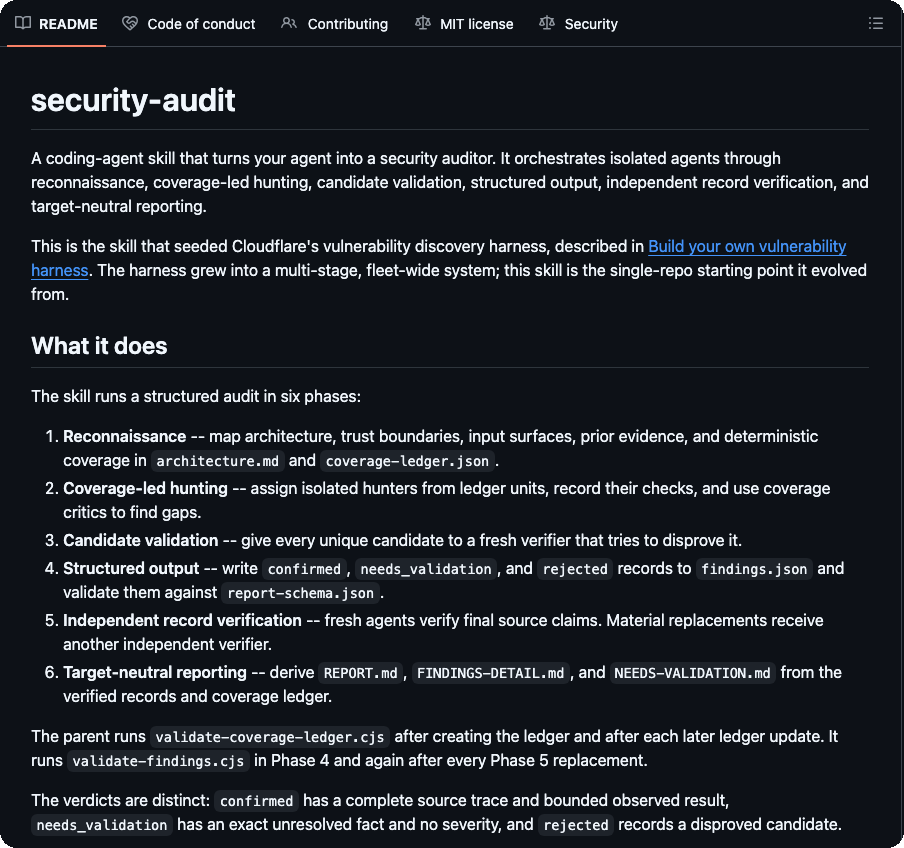
Cloudflare's security-audit. Six phases, and every finding gets a second agent trying to disprove it.
What it does
It turns Claude Code into a security auditor and runs a six-phase audit on your codebase:
- Reconnaissance. Maps the architecture, the trust boundaries, and every place input comes in.
- Coverage-led hunting. Sends out isolated hunter agents, each on its own slice, with critics checking for gaps in coverage.
- Candidate validation. Hands every suspected bug to a fresh verifier whose job is to disprove it.
- Structured output. Writes each one to
findings.jsonasconfirmed,needs_validation, orrejected. - Independent record verification. New agents re-check the final source claims.
- Reporting. Produces
REPORT.md,FINDINGS-DETAIL.mdandNEEDS-VALIDATION.mdfrom the verified records only.
The hunting guides cover the stuff that bites vibecoded apps: web and auth flaws, client-side injection, supply chain and release, cloud and deployment config, memory safety, and a whole file on prompt injection for apps built on an LLM. By default the report lands outside your project at ~/security-audit-skill/<repo-name>/run-<N>, so nothing gets committed by accident.
Two honest caveats from the README. It wants a model that can run parallel sub-agents, which Claude Code does. And it wants a sandbox for running your app's build and tests; without one it won't execute your code and will leave those leads as needs_validation instead. Also: only run it on code you own or are authorized to test.
Who it's for
Anyone who built something with AI that real customers touch. A booking form, a client portal, a Stripe checkout, an internal tool with a login. If you haven't had a second set of eyes on it, this is the second set of eyes. Claude Code only, since it has to read the code.
Install
You need Node.js installed, which you almost certainly have if you've been building with AI. Then:
npx skills add https://github.com/cloudflare/security-audit-skill --skill security-audit
Add --global to the end of that line if you want it available in every project. Run npx skills --help if it asks you which agent to install for.
Try this first
Open Claude Code inside the project you want checked, then say:
security audit this codebase
Go make a coffee. When it's done, open REPORT.md and start with the confirmed list. Then read NEEDS-VALIDATION.md, because that's where the ones it couldn't prove without running your code end up.
5. Replica: point it at any feature and it rebuilds it
Replica is the second pack from Jake Schincariol, at Jakeschincariol/replica-skill. Eleven skills again, MIT, no API key. It reverse-engineers an app's features and flows from what's publicly visible, then rebuilds them as your own.
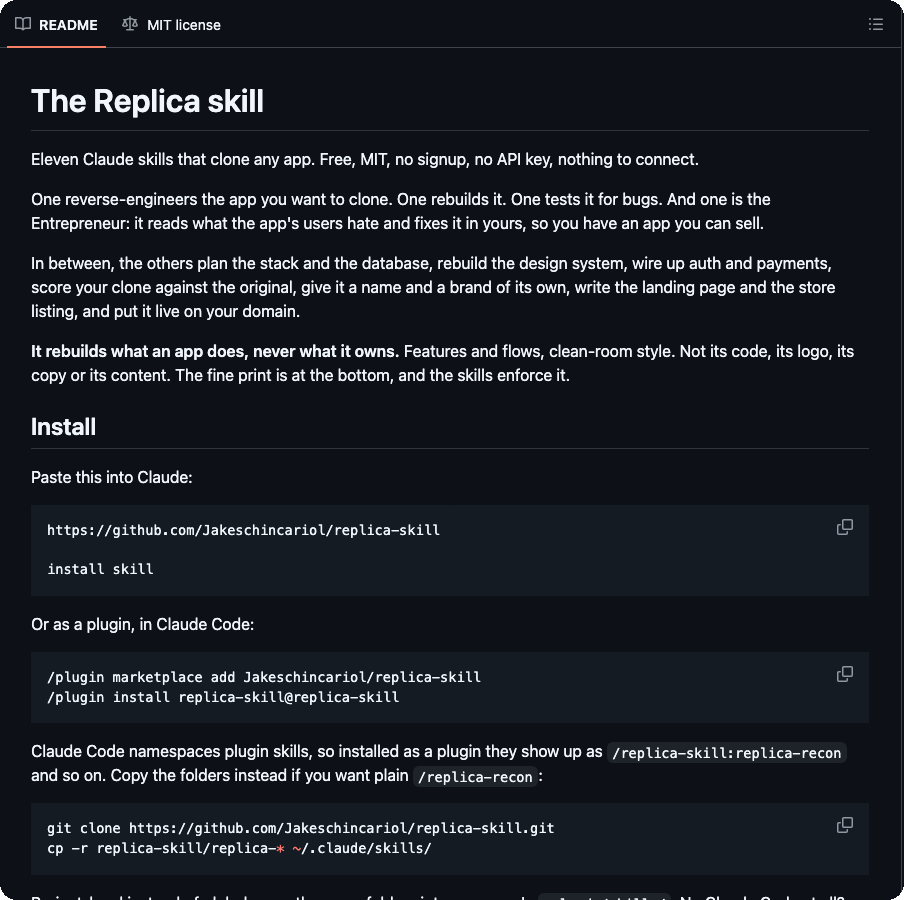
The Replica skill. It rebuilds what an app does, never what it owns.
What it does
The first skill is the one from the video. /replica-recon takes an app's URL, plus public pages, screenshots, store listings and walkthroughs (and your own account, if you have one), and maps out the screens, the flows, the components and the data model. The output is replica/recon.md and a features.csv you can scope down to just the feature you want.
From there the chain runs: /replica-architect plans the stack and database, /replica-design turns the look into design tokens built on your own assets, /replica-build rebuilds it screen by screen, /replica-backend wires auth, database and payments, /replica-test clicks through every flow and logs bugs, and /replica-diff scores your version against the original and lists what's missing. Then /replica-entrepreneur reads the original's real user reviews and turns the complaints into fixes and a positioning angle, /replica-brand renames it and sweeps for leftover traces of the original, /replica-launch writes the landing page and store listing, and /replica-deploy ships it to your domain.
The rules are built in, not optional. It rebuilds functionality and UX patterns, clean-room style. It does not copy source code, logos, trademarks, copy, or private APIs, it never logs into someone else's account or past a paywall, and /replica-deploy refuses to ship until the brand sweep comes back clean. The README still tells you to run the trademark checks, read the terms of anything you used, and talk to a lawyer if money is involved. Do that.
Who it's for
Anyone who has said "I just want the booking flow from that app" or "our dashboard should work like theirs." You don't need the whole chain. Recon alone, pointed at one feature, is often the whole job.
Install
Same three routes as Founder, since it's the same author.
/plugin marketplace add Jakeschincariol/replica-skill
/plugin install replica-skill@replica-skill
git clone https://github.com/Jakeschincariol/replica-skill.git
cp -r replica-skill/replica-* ~/.claude/skills/
https://github.com/Jakeschincariol/replica-skill

install skill
The Python tools need Python 3.8 or newer, nothing to install on top. In the Claude app you lose those tools, but recon and the planning skills still work as a mode if you paste the SKILL.md.
Try this first
/replica-recon https://calendly.com

Scope: the booking flow only. The event picker, the time slot picker, the timezone handling, and the confirmation screen. Skip everything else. I'm attaching three screenshots of the flow from my own account. Map the screens, the components and the data model, and give me a features.csv I can cut down.
Install order if you're new to all of this
Don't install all five tonight. Do them in the order you'll actually use them.
- Marketing skills first. Zero setup risk, works in the Claude app through the zips, and you'll use it this week. Start with
product-marketing,emails,copywriting,croandseo-audit. - Founder second, the day before you spend money on anything new. Board, then consumer panel, then CFO.
- Hallmark the next time you're building or fixing a page. Audit what you have before you rebuild anything.
- Cloudflare's security audit before anything you vibecoded goes in front of a paying customer. Once a quarter after that.
- Replica when you can name the exact feature you want. Recon only, until you're sure.
If you don't have Claude Code yet, install it first and run the marketing pack through it. The /plugin commands above all run inside a Claude Code session, and the npx skills add ones run in your normal terminal.
None of these replace a person who knows what they're doing. What they replace is the version of you that was guessing.
Install the marketing pack today and run one email sequence through it. That's the fastest way to feel what a skill actually is. The other four will make sense after that.
– Anir
If this is the kind of AI thinking you want working on your own business, apply to work with me. And to catch the next breakdown, join the newsletter.