 Anir Suren
Marketing a home should not require six tools, a videographer, an editor, and a separate copy workflow every single time.
The listing already contains the property photos, address, price, room count, square footage, and the details buyers care about. The agent already has a face, a voice, and a brand. Yet turning those ingredients into a real campaign still means rebuilding everything from scratch.
Listing OS is the product I am building to fix that. Give it one property link, choose what you want to create, and manage the entire listing campaign in one place.
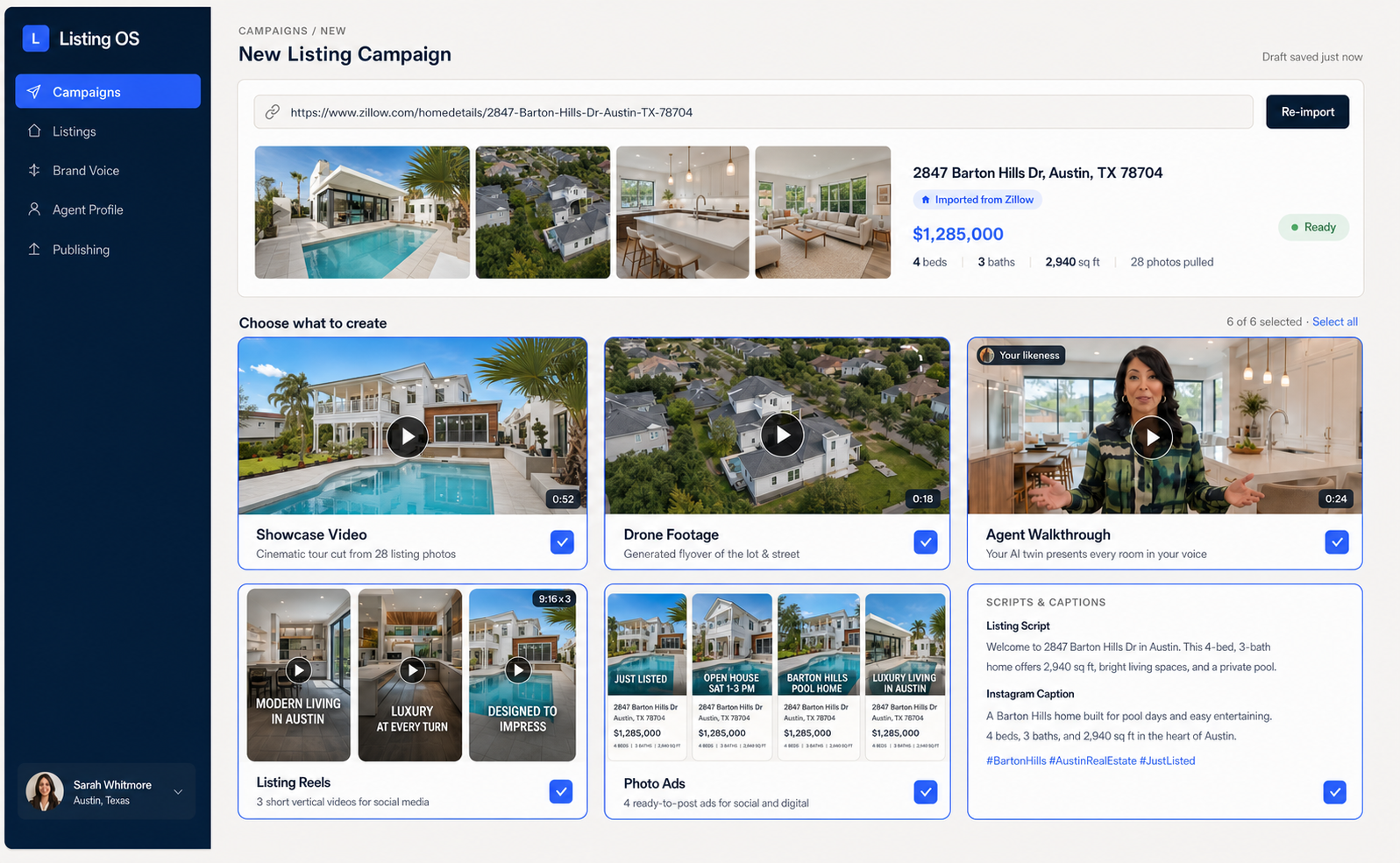
To be completely clear: this is an early product prototype, not a public app yet. I am opening a small waitlist for agents who want to test the first version and help shape what gets built.
One listing link in. Every marketing asset out.
The workflow is meant to be simple enough that an agent can run it without becoming a designer, editor, or prompt engineer.
Paste the listing
Add a Zillow URL or another property listing link.
Import the property
Listing OS pulls the photos and accurate property facts.
Choose the campaign
Select the videos, ads, reels, and copy you need.
Review and publish
Approve each asset, make edits, then download or publish.
Showcase videos from the photos you already have
Listing photos become cinematic, room-by-room tours without scheduling another shoot. One property can produce multiple edits for different audiences, openings, and platforms.
Drone footage without scheduling a flight
Turn the listing media into aerial rises, pullbacks, and overhead reveals made for social. The goal is to give every listing the kind of opening shot that normally takes another vendor and another shoot day.
Put yourself inside every listing
Set up an approved likeness, voice, and agent profile once. Listing OS can then create walkthroughs based on the actual property, with you presenting each room in your own style.
A full set of listing reels
Create several 9:16 edits from the same property, sized for Instagram, TikTok, and Facebook. Each edit can use a different hook, room, pacing, and call to action while staying tied to the same listing facts.
Ready-to-post photo ads
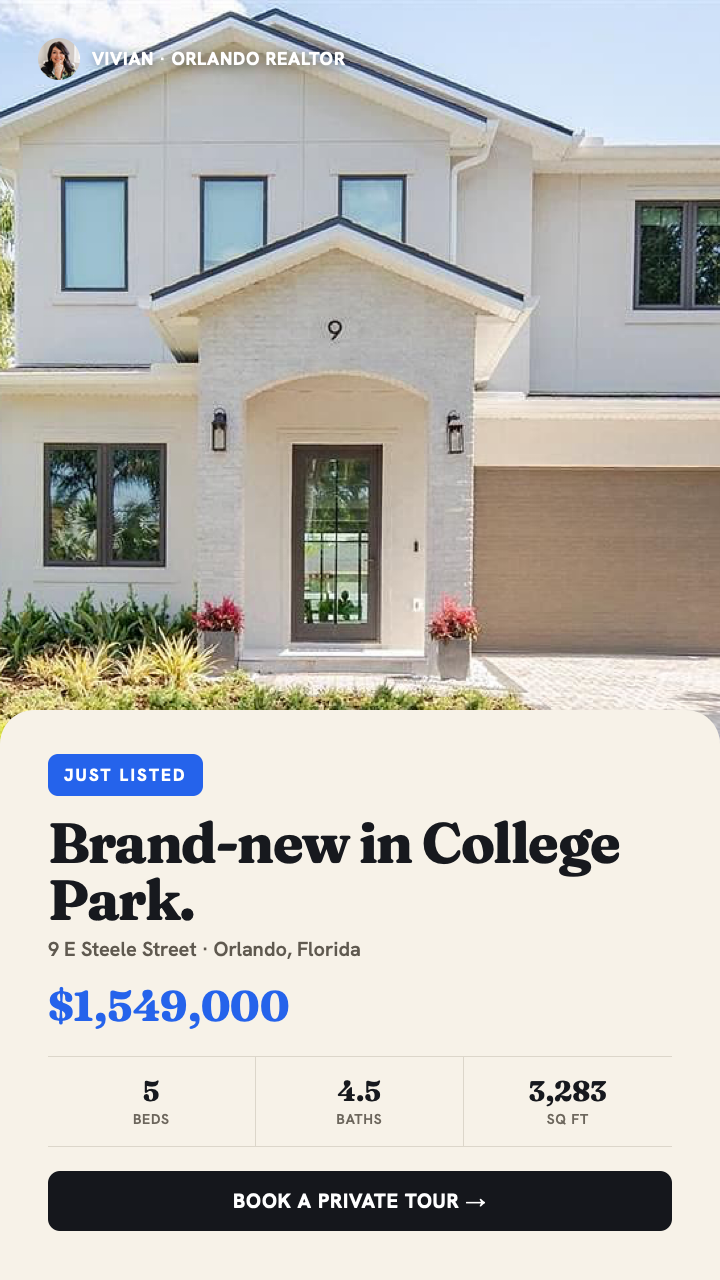
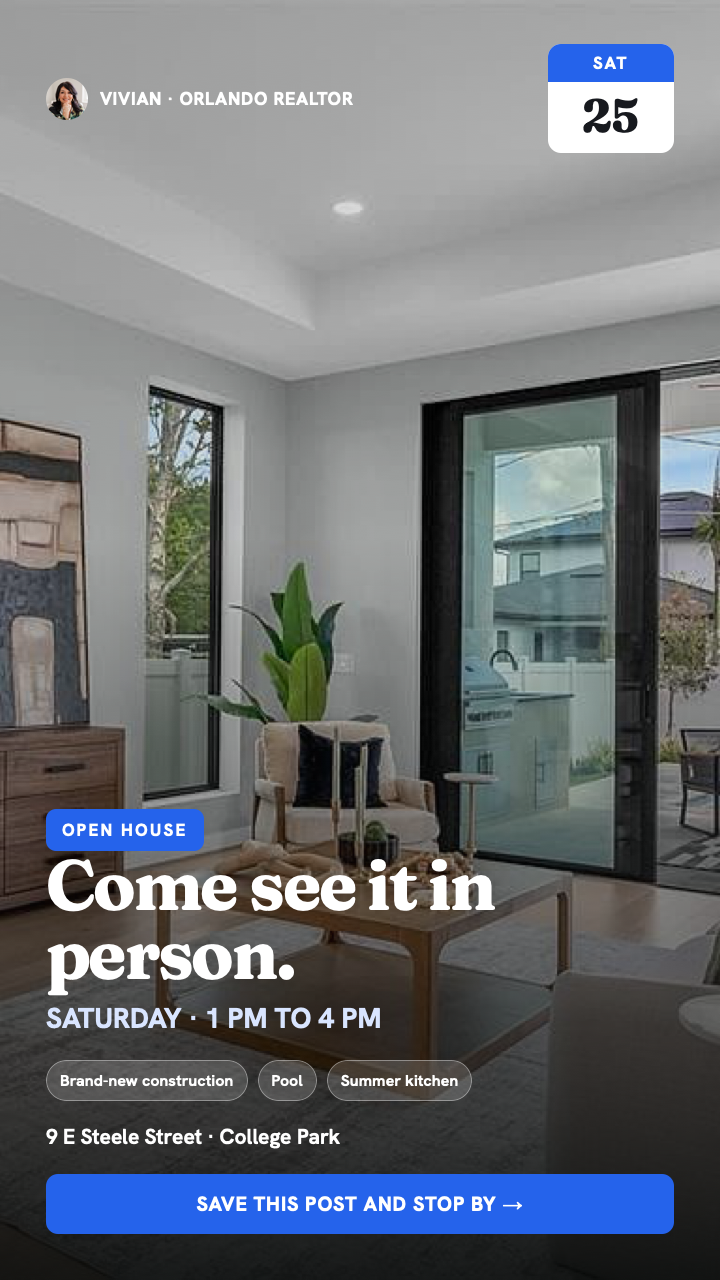
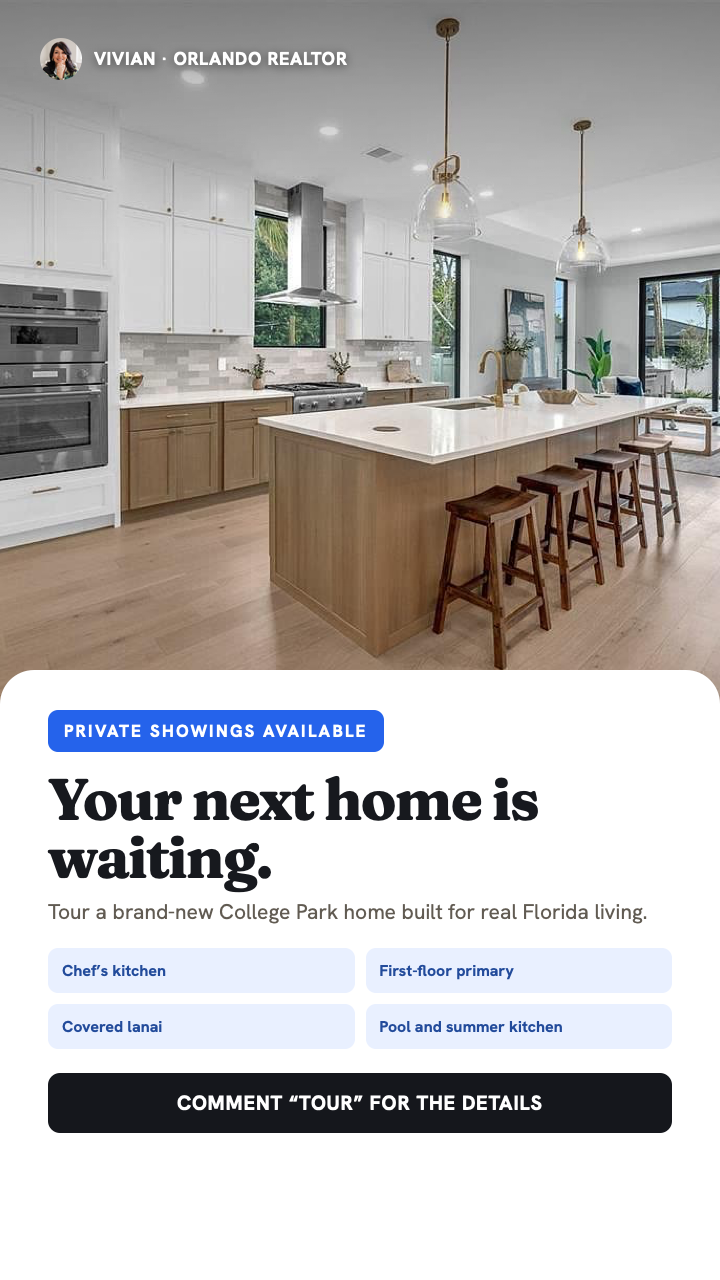
The same campaign can generate multiple static concepts for social and paid media, including just listed, open house, feature spotlight, and private showing creative.
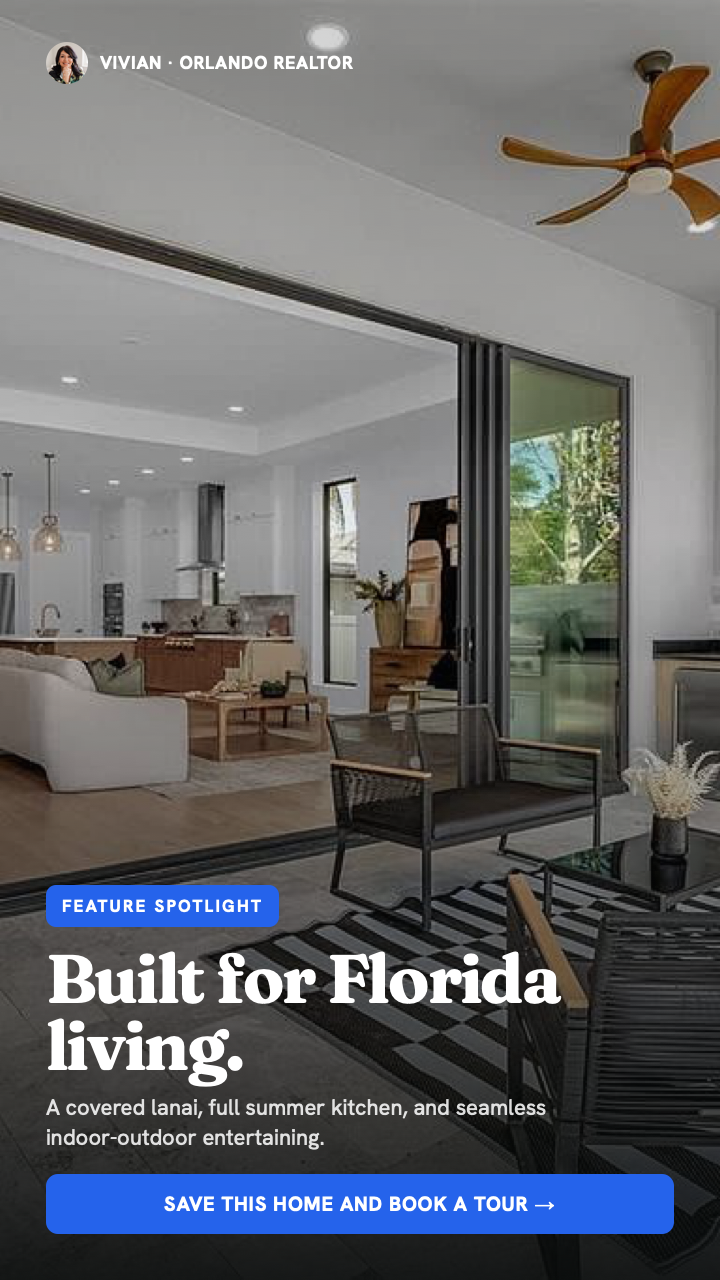
It writes the campaign in your voice, too
Videos and ads are only half the work. Listing OS is built to write the hook, voiceover, Instagram caption, Facebook copy, listing description, and email announcement for each asset. You can edit every line before anything is approved.
Every new listing starts on-brand.
- Your approved face and voice
- Your brokerage colors and logos
- Your writing and speaking style
- Your preferred platforms and formats
Why one system matters
The point is not to create one more AI tool. The point is to keep every asset tied to the same property facts, keep the agent's brand consistent across every format, and let the agent spend time approving and publishing instead of rebuilding the campaign in five different apps.
One property link should be enough to launch the entire marketing campaign.
If you market listings every month and this would save you time, I want your feedback. Join the early access waitlist below and tell me how many listings you work with.