 Anir Suren
This one looks like a magic trick the first time you run it. You take one photo of a room in your house, upload it to ChatGPT, and a minute later you're looking at the same room in a completely different style. Same windows, same layout, same proportions, new everything else. Then you turn on agent mode and it goes and finds the actual furniture from the redesign, with links to buy each piece. No designer, no 3D software, no Pinterest rabbit hole.
Here's the kind of photo you start with. One normal phone picture, nothing staged.
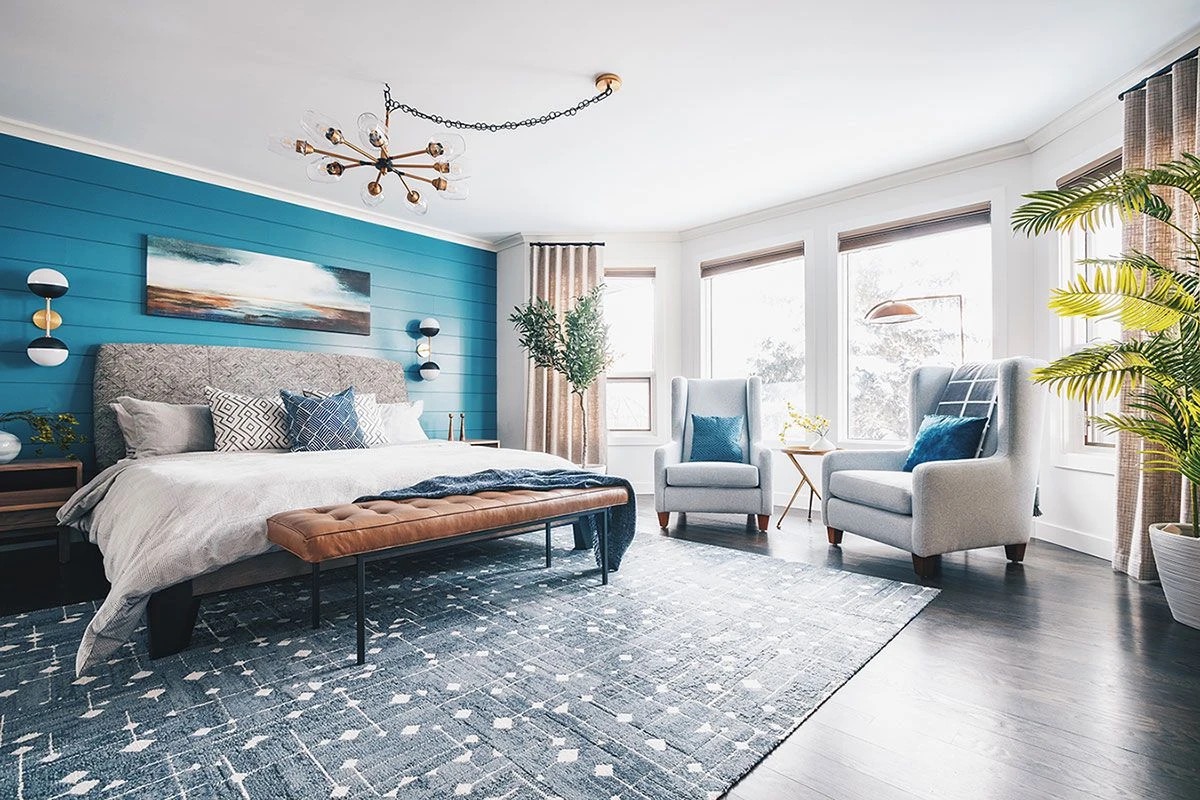
The redesigns you saw in the video came from exactly this flow: it keeps the window, the layout, and the proportions, and restyles everything else. Below is the whole setup, the exact prompt, and the agent mode trick that finds the real furniture.
The setup, less than 30 seconds
1. Take a picture of the room
Any room works: bedroom, living room, the office you've been meaning to fix. One tip that makes a real difference: stand in a corner or doorway and shoot straight on, in decent light, so the photo shows the whole room. A clear, wide shot gives ChatGPT more to work with. A dark, cropped phone pic gives you a dark, cropped redesign.
2. Upload it into ChatGPT and select Create image
Open ChatGPT, attach the photo, and pick Create image from the tools. That routes your request through its latest image model, which is the part that makes the results look like real photography instead of a video game screenshot.
3. Paste the exact prompt
This wording is the whole trick. The line that locks the windows, layout, and camera angle is the difference between "my room, reimagined" and a random AI room that has nothing to do with your house.
You are an expert interior designer and architectural photographer. I have uploaded a photo of a room in my home. Your job is to completely redesign this room in 5 distinctly different interior design styles, generating one photorealistic image per style.

STEP 1: ANALYZE THE ROOM
Before generating anything, carefully study the uploaded photo. Identify the room type and its function. Note the architecture that cannot change: wall placement, window size and position, ceiling height, door locations, flooring footprint, radiators, vents, built-ins, and the exact camera angle and perspective of the photo. Assess the natural light: where it enters, how strong it is, and what time of day it suggests. Identify what is currently working in the space and what is holding it back: awkward furniture placement, poor scale, clashing colors, dead zones, cluttered sightlines, or underused areas.

STEP 2: SELECT THE STYLES
Based on your analysis, YOU choose the 5 interior design styles that would genuinely suit this specific room best. Do not pick randomly and do not default to the same generic list every time. Consider the room's proportions, natural light, architectural character, and apparent budget level of the home. The 5 styles must be meaningfully different from each other: vary the color temperature, the era, the level of minimalism, and the overall mood so I get a true range of options rather than five variations of the same look. Before generating each image, state which style you chose and one sentence on why it fits this room.

STEP 3: GENERATE THE IMAGES
For each of the 5 styles, generate one image following these strict rules:
- Preserve the architecture exactly: same walls, same windows, same ceiling height, same door placement, same flooring footprint, and the identical camera angle and focal length as the original photo. It must be unmistakably the same room.
- Fully transform everything else: furniture, layout, rugs, lighting fixtures, wall treatment, window treatments, art, plants, decor, textiles, and material finishes, all cohesively matched to the style.
- Furniture must be realistically scaled to the room's actual dimensions. No oversized sofas in small rooms, no floating furniture with no anchor.
- Lighting must be physically plausible: shadows fall consistently with the window positions from the original photo, lamps cast warm believable pools of light, no impossible glows.
- The result should look like a photo from Architectural Digest or a high-end real estate listing: professionally staged, shot on a full-frame camera, natural depth of field, true-to-life textures on wood, fabric, metal, and stone. Absolutely no CGI look, no render-like smoothness, no cartoonish saturation.
- Include small realistic imperfections that sell the realism: a throw blanket slightly draped, books stacked casually, natural fabric wrinkles.

STEP 4: SUMMARIZE
After all 5 images, give me a short breakdown: for each style, list the 3 biggest changes you made and a rough budget tier (affordable / mid-range / high-end) to actually pull off the look.

Generate the images one at a time, in order, without asking me any follow-up questions.
This is the exact prompt from my run, and the two-part trick in it is what makes the results feel real: it locks the architecture so it's unmistakably your room, and it makes ChatGPT choose 5 genuinely different styles for your specific space instead of the same generic list every time. Here are two of the five versions from my run:
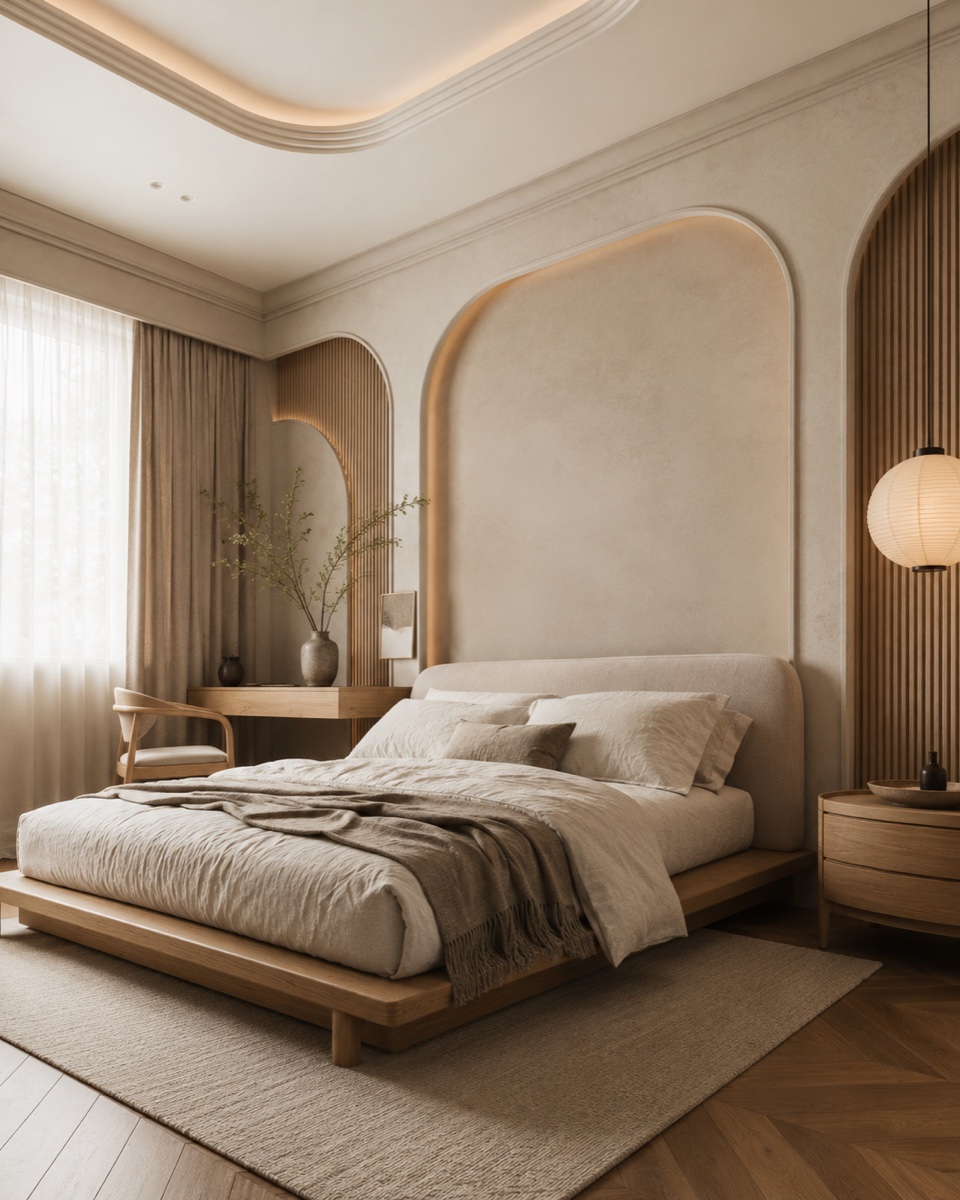
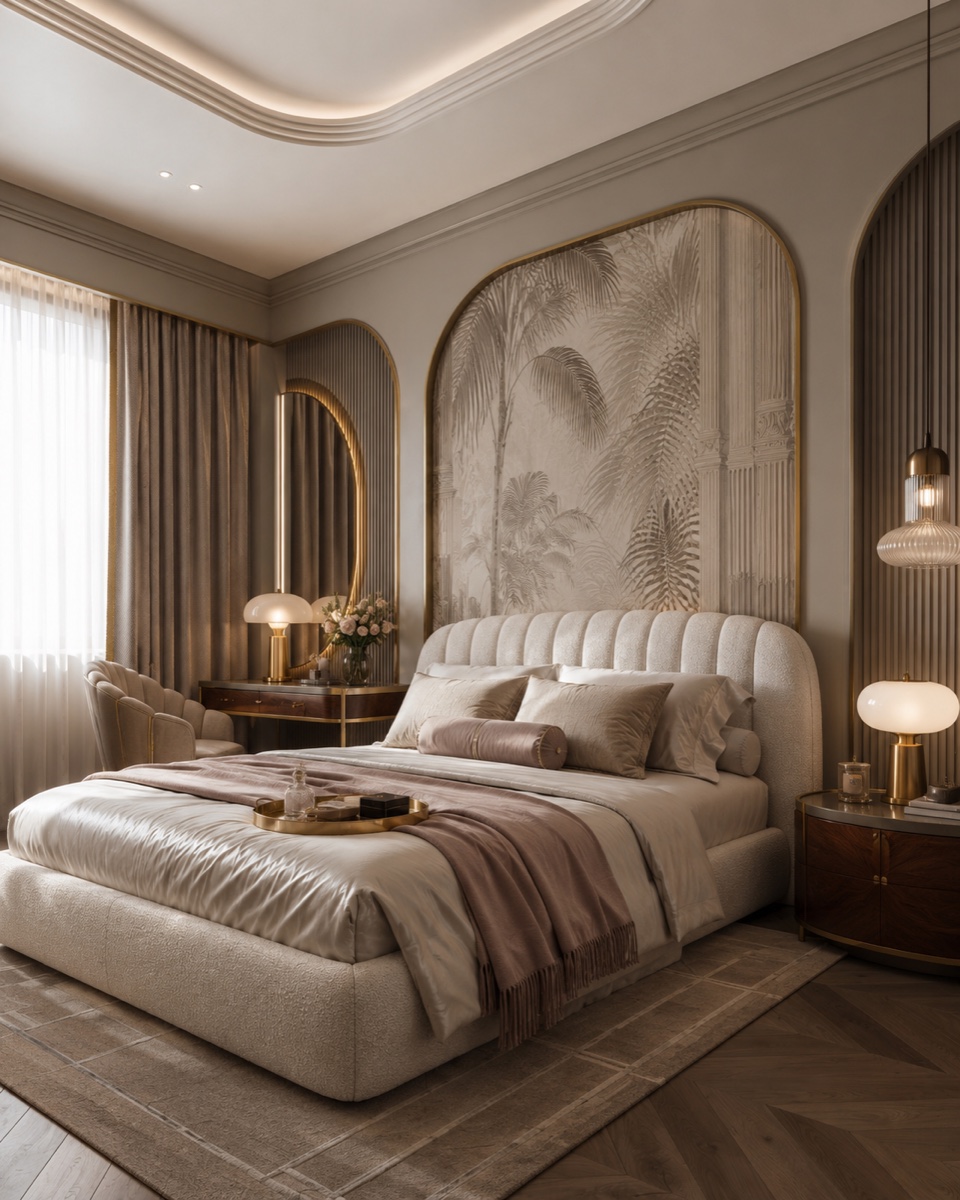
The step further: agent mode finds the actual furniture
This is the part that turns it from a moodboard into a shopping list. Once you have a version you love, turn on agent mode in ChatGPT (it's in the same tools menu) and send this:
Find the exact furniture and decor from Version 1 and link where to buy each piece.

Go through the redesign item by item: the bed, nightstands, lighting, rug, curtains, and decor. For every item, find the closest real product available online and give me the product name, the store, the current price, and a direct link. Prioritize items that closely match the look, then list one cheaper alternative for each. Put it all in a table, ordered by price.
Agent mode actually browses, so give it a few minutes. On my run it came back with the real pieces from Version 1: a curved bouclé platform bed from Overstock, a bouclé accent chair from Lowe's, a round wood nightstand from TOV Furniture, a stacked paper pendant lamp, and even the tree-branch wall mural, each with a direct link and why it matches. That's the full loop: photo in, design out, cart ready.
How to get good results, not weird ones
- Name a real style. "Make it nicer" gets you mush. "Warm modern farmhouse" or "art deco luxe" gives it a target.
- Never cut the rules block. The "keep the exact same room" lines are what stop it from inventing a different house.
- Iterate one change at a time. Once a version is close: "same room, same style, but make the walls sage and swap the bed for a low oak frame." It edits instead of starting over.
- Redo the photo if the output drifts. If the room comes back warped, your source photo was probably too tight or too dark. Reshoot wider and brighter.
The honest part
The redesigns are inspiration, not blueprints. ChatGPT doesn't know your real measurements, and the furniture links from agent mode are closest matches, so double-check sizes and prices before you actually buy. Treat it as the fastest way to pick a direction and build the shopping list, then sanity-check the pieces like you would anything else you buy online.
Using Claude instead? I did this same trick there too, with a different setup: here's the Claude version.
People pay interior designers hundreds just to tell them what a room could look like. Your phone camera and one prompt now get you 90% of that answer in a minute.
Take one photo of the room that's been bugging you and run it. Worst case you lose two minutes. Best case you finally know exactly what to do with it, and where to buy it.
– Anir
If this is the kind of AI thinking you want working on your own business, apply to work with me. And to catch the next breakdown, join the newsletter.